
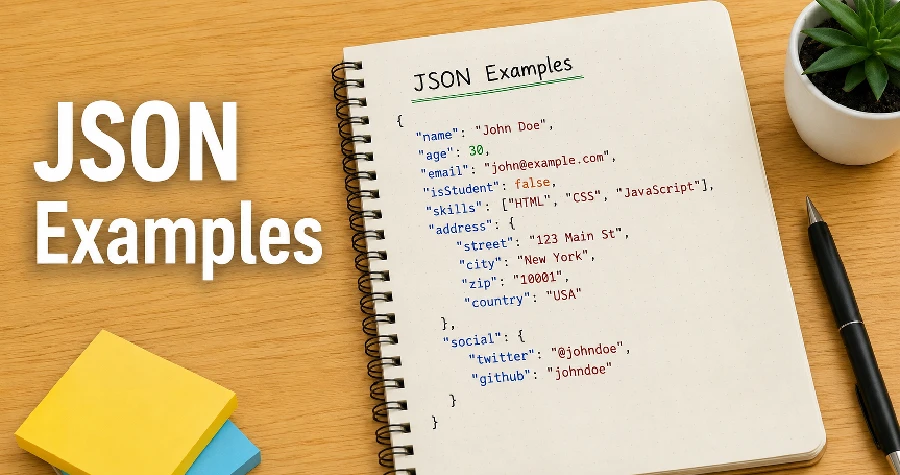
JSON (JavaScript Object Notation) is one of the most widely used data formats for storing and exchanging information between applications. Its simple syntax, lightweight structure, and language-independent design have made it the standard format for APIs, configuration files, and data interchange across the web.
Whether you’re a beginner learning JSON or an experienced developer looking for practical examples, this guide covers the most common JSON structures, explains how they work, and provides real-world examples you can use in your own projects.
Table of Contents
What Is JSON?
JSON is a text-based data format that represents structured information using key-value pairs and arrays. Although it originated from JavaScript, JSON is supported by virtually every modern programming language, including Python, PHP, Java, C#, Go, Ruby, and many others.
Every JSON document is built from a combination of objects, arrays, strings, numbers, booleans, and null values, allowing it to represent both simple and complex structured data.
Basic JSON Example
A basic JSON object typically contains a small collection of key-value pairs, making it the easiest way to understand how JSON stores structured information.
{
  "name": "John Doe",
  "age": 28,
  "city": "New York"
}
In this JSON example, each property represents a different piece of information stored as a key-value pair:
- name is a string.
- age is a number.
- city is another string.
Every property name (key) in JSON must be enclosed in double quotation marks, otherwise the document is considered invalid by the JSON specification.
JSON Object Example
JSON objects are the most commonly used structure because they organize related pieces of information into a single, easy-to-read collection of key-value pairs.
{
  "employee": {
    "id": 105,
    "name": "Sarah Johnson",
    "department": "Engineering",
    "active": true
  }
}
Here, all employee-related information is grouped inside a single employee object, making the data organized and easy for applications to process.
JSON Array Example
JSON arrays are used to store multiple values in an ordered collection, making them ideal for lists of related items.
{
  "languages": [
    "JavaScript",
    "Python",
    "Java",
    "Go",
    "Rust"
  ]
}
A JSON array can contain strings, numbers, objects, booleans, null values, or even nested arrays, depending on the data being represented.
JSON Array of Objects Example
Many APIs return data as an array of objects, allowing multiple records to be transferred efficiently in a single response.
{
  "users": [
    {
      "id": 1,
      "name": "Alice"
    },
    {
      "id": 2,
      "name": "Bob"
    },
    {
      "id": 3,
      "name": "Charlie"
    }
  ]
}
This format is commonly used when retrieving multiple records from a database.
Nested JSON Example
JSON supports nesting, allowing objects to contain other objects and arrays for representing more detailed and hierarchical data.
{
  "student": {
    "name": "Emily",
    "age": 20,
    "courses": [
      {
        "title": "Mathematics",
        "grade": "A"
      },
      {
        "title": "Computer Science",
        "grade": "A+"
      }
    ]
  }
}
Nested JSON is useful for representing complex relationships between pieces of data.
JSON Data Types Example
JSON supports several built-in data types that allow applications to store different kinds of information in a consistent format.
{
  "string": "Hello World",
  "number": 100,
  "decimal": 15.75,
  "boolean": true,
  "nullValue": null,
  "array": [1, 2, 3],
  "object": {
    "country": "Canada"
  }
}
Each value type serves a different purpose depending on the data being stored. Choosing the appropriate data type helps keep JSON documents accurate, easier to validate, and simpler for applications to interpret.
JSON API Response Example
Many REST APIs return responses similar to the following.
{
  "success": true,
  "message": "Data retrieved successfully.",
  "data": [
    {
      "id": 101,
      "product": "Laptop",
      "price": 899.99
    },
    {
      "id": 102,
      "product": "Keyboard",
      "price": 49.99
    }
  ]
}
This response contains a success flag, a descriptive message, and an array of products.
JSON Configuration File Example
Many applications use JSON configuration files to store settings that control how the software behaves without changing its source code.
{
  "appName": "RealDevTools",
  "version": "1.0.0",
  "debug": false,
  "theme": "dark",
  "language": "en"
}
Configuration files are easy to edit and are supported by many frameworks.
JSON File Example
A JSON file is a plain text file saved with the .json extension, allowing applications to read and exchange structured data easily.
The following example shows the contents of a typical users.json file:
[
  {
    "id": 1,
    "name": "Alice"
  },
  {
    "id": 2,
    "name": "Bob"
  },
  {
    "id": 3,
    "name": "Charlie"
  }
]
Common JSON Mistakes
Even experienced developers occasionally make mistakes when writing JSON.
The following are some of the most common JSON mistakes to avoid:
- Using single quotes instead of double quotes.
- Leaving a trailing comma after the last item.
- Forgetting quotation marks around property names.
- Missing opening or closing braces.
- Mixing incompatible data structures.
Validating your JSON before deployment helps detect syntax errors early and prevents issues when your application processes the data.
Best Practices
When creating JSON documents, follow these recommendations:
- Use meaningful property names.
- Keep objects logically organized.
- Avoid deeply nested structures whenever possible.
- Validate JSON before using it in production.
- Format JSON with proper indentation to improve readability.
Applying these practices improves readability, reduces errors, and makes your JSON files easier to maintain over time.
Frequently Asked Questions
Is JSON case-sensitive?
Yes. JSON is case-sensitive, meaning property names and string values must match exactly as written.
Can JSON contain comments?
No. Standard JSON does not support comments, so adding them will make the document invalid according to the official JSON specification.
Can JSON store dates?
JSON does not include a built-in date data type, so dates are typically stored as strings using formats such as ISO 8601 for consistency.
What’s the difference between a JSON object and a JSON array?
A JSON object stores data using key-value pairs enclosed in curly braces {}. A JSON array stores an ordered list of values enclosed in square brackets [].
Why is JSON so popular?
JSON is lightweight, easy to read, easy to parse, and supported by nearly every programming language, making it the preferred format for web APIs and data exchange.
Conclusion
JSON has become the universal language for exchanging structured data on the web. From simple objects and arrays to complex nested structures and API responses, understanding JSON examples is essential for developers working with modern applications.
Learning how to read and write JSON correctly will help you build APIs, process data, configure applications, and integrate with third-party services more effectively. Whether you’re just getting started or refining your skills, mastering these examples provides a solid foundation for working with JSON in real-world projects.